


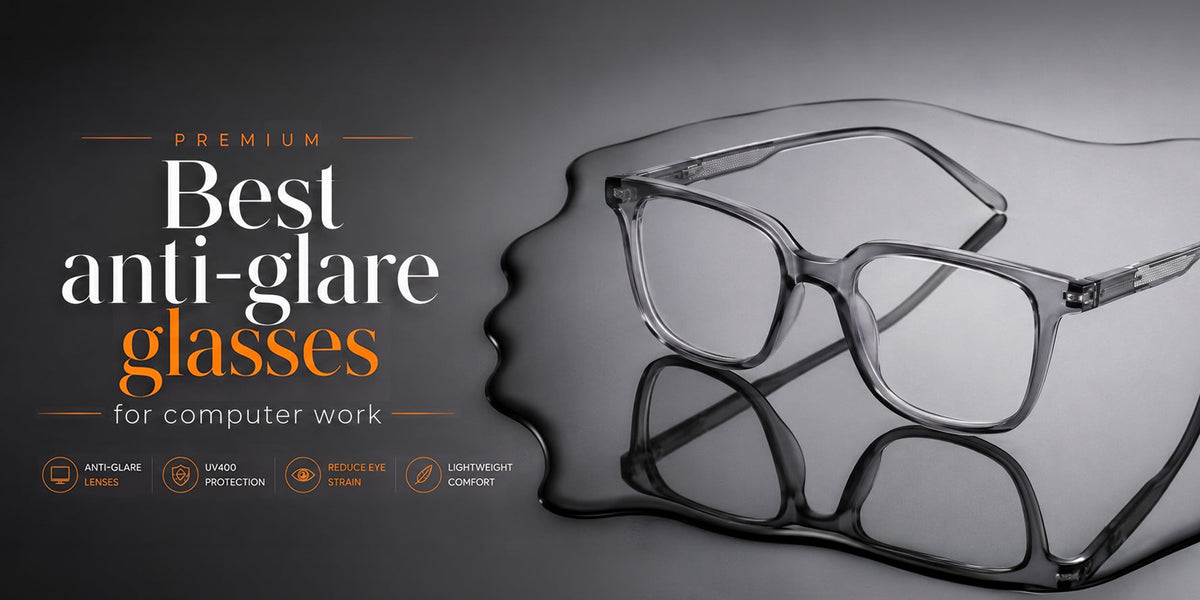
Best anti-glare glasses for computer work
Best Anti-Glare Glasses for Computer Work: A Complete Guide
In today’s digital world, spending several hours in front of a computer has become part of everyday life. Whether you work from home, attend online classes, manage office tasks, or spend long hours browsing the internet, extended screen time can sometimes lead to digital eye strain. Common symptoms include tired eyes, dryness, blurred vision, headaches, and sensitivity to light.
One way to make computer use more comfortable is to choose the right anti-glare glasses. These glasses are designed with anti-reflective coatings that help reduce distracting reflections from light sources and the lens surface. However, glasses work best when combined with a comfortable screen setup, regular breaks, and proper viewing habits.
What Are Anti-Glare Glasses?
Anti-glare glasses, also known as glasses with an anti-reflective (AR) coating, are designed to reduce reflections from the front and back surfaces of the lenses. Reflections can make it harder to see your screen clearly, particularly when you are working under artificial lighting or near windows.
An anti-reflective coating allows more light to pass through the lens instead of being reflected back toward your eyes. This can provide a clearer and more comfortable viewing experience while working on a computer.
For people who spend many hours working on digital screens, computer glasses with an anti-reflective coating can be a useful eyewear option.
Why Do You Need Anti-Glare Glasses for Computer Work?
Computer screens themselves are not the only source of visual discomfort. Reflections from ceiling lights, windows, lamps, and other surfaces can create glare on your screen or lenses.
Digital eye strain can occur due to several factors, including glare, poor lighting, incorrect viewing distance, reduced blinking, and uncorrected vision problems.
Here are some reasons to consider anti-glare computer glasses:
1. Reduce Distracting Reflections
Anti-reflective coatings help reduce reflections on the lens surface. This can make it easier to focus on the content displayed on your computer.
2. Improve Visual Comfort
When reflections are reduced, your eyes may feel more comfortable during extended periods of computer work. However, anti-glare glasses are not a complete solution for digital eye strain.
3. Better Screen Viewing
Clear lenses with an AR coating can help provide a cleaner viewing experience by minimizing distracting reflections.
4. Suitable for Work and Study
Whether you are working on spreadsheets, attending online meetings, studying, designing, coding, or browsing the web, comfortable eyewear can make prolonged screen use easier.
Best Features to Look for in Computer Glasses
When choosing the best anti-glare glasses for computer work, don't focus only on the appearance of the frame. Consider the lens and fit as well.
Anti-Reflective Coating
An effective AR coating is one of the most important features. It helps minimize reflections from the lens surfaces and can improve visual clarity.
Comfortable Frame
Choose a lightweight frame that fits securely without creating unnecessary pressure around your nose, ears, or temples.
Clear Optical Quality
The lenses should provide clear vision without unnecessary distortion. If you require prescription glasses, your prescription should be accurate and properly fitted.
Screen-Friendly Design
If you spend most of your working day at a computer, discuss your typical screen distance with an eye care professional. Your everyday prescription may not always be ideal for a specific computer-working distance.
Blue-Light Filtering: Is It Necessary?
Many computer glasses are marketed with blue-light filtering features. However, it is important not to assume that blue-light filtering automatically prevents digital eye strain.
Current evidence does not clearly establish blue light from computer screens as the primary cause of digital eye strain, and evidence for blue-blocking lenses improving eye-strain symptoms is limited.
Therefore, when choosing computer glasses, prioritize accurate vision correction, anti-reflective coating, comfort, and proper fit rather than choosing a product solely because it blocks blue light.
Anti-Glare Glasses vs. Regular Glasses
Regular lenses can provide vision correction, but their surfaces may reflect light. Anti-glare or anti-reflective lenses are specifically treated to reduce these reflections.
| Feature | Regular Glasses | Anti-Glare Computer Glasses |
|---|---|---|
| Vision correction | Yes, if prescribed | Yes, if prescribed |
| Anti-reflective coating | May not have it | Usually included |
| Reduces lens reflections | Limited | Yes |
| Computer-friendly option | Depends on the lens. | Often suitable |
| Suitable for office work | Yes | Yes |
| Comfort during screen use | Depends on setup and prescription | Can improve comfort when glare is an issue |
How to Choose the Best Anti-Glare Glasses
Choosing the right glasses depends on your daily screen usage and visual requirements.
For Office Professionals
If you spend 6–8 hours working on a computer, choose lightweight glasses with a good anti-reflective coating and a comfortable fit.
For Students
Students attending online classes or studying through laptops and tablets can choose lightweight computer glasses designed for comfortable everyday use.
For Work-from-Home Users
If your workspace has windows or bright lights behind you, reflections may become distracting. Anti-reflective lenses can help reduce lens reflections, while adjusting the room lighting can further improve comfort.
For Gamers and Heavy Screen Users
Gamers and people who spend long hours on computers should focus on proper screen positioning, comfortable lighting, frequent blinking, and regular breaks in addition to choosing suitable eyewear.
Tips to Reduce Digital Eye Strain
Glasses are only one part of comfortable computer use. Follow these simple habits:
Follow the 20-20-20 Rule
Every 20 minutes, look at something around 20 feet away for approximately 20 seconds. This is a commonly recommended strategy for reducing digital eye strain.
Keep Your Screen at a Comfortable Distance
A computer screen is generally most comfortable when positioned around arm's length away. The American Optometric Association commonly recommends approximately 20–28 inches, depending on the individual and setup.
Position the screen slightly below eye level.
Keeping the center of the screen slightly below eye level can make your viewing position more comfortable.
Adjust Screen Brightness
Your monitor should not appear dramatically brighter or darker than the surrounding room. Adjust brightness and contrast according to your environment.
Reduce Room Glare
Avoid positioning your monitor directly in front of a bright window or underneath harsh lights. Curtains, blinds, better lighting placement, or a screen glare filter can help.
Blink Frequently
People tend to blink less while concentrating on digital screens, which can contribute to dry or irritated eyes. Make a conscious effort to blink regularly while working.
Are Anti-Glare Glasses Worth It?
For people who regularly experience distracting reflections while using computers, anti-glare glasses can be a useful addition to a comfortable workstation. Anti-reflective coatings reduce reflections from lens surfaces and can improve the clarity of your view.
However, they should not be considered a cure for digital eye strain. Screen breaks, proper lighting, correct screen positioning, frequent blinking, and appropriate vision correction are also important.
If you regularly experience persistent headaches, blurred vision, eye discomfort, or other symptoms despite making these changes, consider having your eyes examined by an eye-care professional.
Conclusion
The best anti-glare glasses for computer work are not necessarily the most expensive pair. Look for lenses with a quality anti-reflective coating, a comfortable and lightweight frame, clear optical quality, and the correct prescription if you need vision correction.
For everyday computer users, combining comfortable computer glasses with good screen habits can make long hours of digital work more manageable. Remember that eyewear is only one part of eye comfort—your workspace, lighting, screen position, breaks, and viewing habits matter too.